
Legal & Compliance Topics
Contract Access
Data Privacy
Account Deletion
Tax Forms
Work Authorization
FAQ
Where can I access the contracts I have signed with Mercor?
Where can I access the contracts I have signed with Mercor?
How do I request a copy of my signed CIIAA or offer letter?
How do I request a copy of my signed CIIAA or offer letter?
What should I do if I need to revise or correct a legal document I already signed?
What should I do if I need to revise or correct a legal document I already signed?
How can I delete my Mercor account and personal data?
How can I delete my Mercor account and personal data?
After deletion, you will receive a confirmation email. Note that some data may be retained to comply with legal and tax obligations. For full details, visit our Privacy Policy.
Does Mercor offer legal advice regarding international contracting or tax obligations?
Does Mercor offer legal advice regarding international contracting or tax obligations?
Is Mercor GDPR compliant?
Is Mercor GDPR compliant?
Who do I contact if I believe a clause in my agreement is unfair or unclear?
Who do I contact if I believe a clause in my agreement is unfair or unclear?
What is the legal entity I’m contracting with?
What is the legal entity I’m contracting with?
55 2nd St., Floor 26, San Francisco, CA 94105, USA
EIN: 88-1741971
How can I add or remove specific clauses in the CIIAA or TOW form?
How can I add or remove specific clauses in the CIIAA or TOW form?
Will Mercor provide employment verification letters for the projects I’ve worked on?
Will Mercor provide employment verification letters for the projects I’ve worked on?
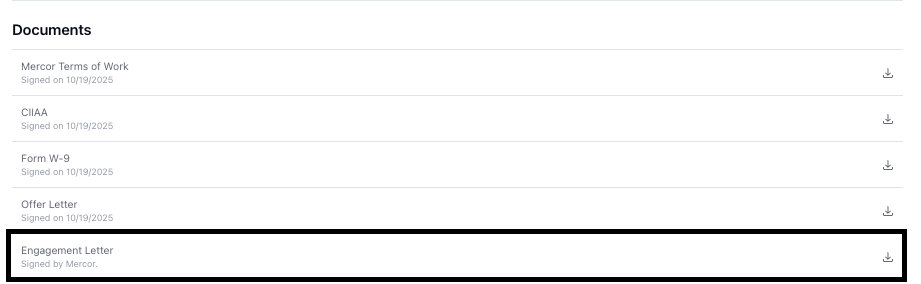
I’m unable to access the CIIAA, Terms of Work, or tax form. Please send all required legal agreements so that I may review.
I’m unable to access the CIIAA, Terms of Work, or tax form. Please send all required legal agreements so that I may review.
/onboarding to your offer page’s web address: it lists every step and lets you move freely between your signed and unsigned documents.You can open and read the full text of each agreement — including all clauses related to IP assignment, non-compete, non-solicitation, exclusivity, and other terms — before you sign it. Signing your offer letter does not commit you to the other agreements: each one is only binding once you personally sign it, and you may decline at any point.Can you update my name or other details on my engagement letter?
Can you update my name or other details on my engagement letter?
Legal & Data Usage
Is my data safe? Are you selling my data? Who is using my data?
Is my data safe? Are you selling my data? Who is using my data?
How do I know which tax form to complete?
How do I know which tax form to complete?
I made a mistake on my tax form. How do I fix it?
I made a mistake on my tax form. How do I fix it?
How much tax does Mercor deduct? Does Mercor handle my tax filing?
How much tax does Mercor deduct? Does Mercor handle my tax filing?
Work Authorization
Can I work on Mercor projects while on F-1 OPT status?
Can I work on Mercor projects while on F-1 OPT status?
Can I work on Mercor projects while on STEM OPT?
Can I work on Mercor projects while on STEM OPT?
Can I work on Mercor projects while on CPT?
Can I work on Mercor projects while on CPT?
Does Mercor sponsor visas like H-1B?
Does Mercor sponsor visas like H-1B?
Can I receive a formal offer letter for my CPT application?
Can I receive a formal offer letter for my CPT application?
I have dual citizenship. Which tax form should I submit?
I have dual citizenship. Which tax form should I submit?