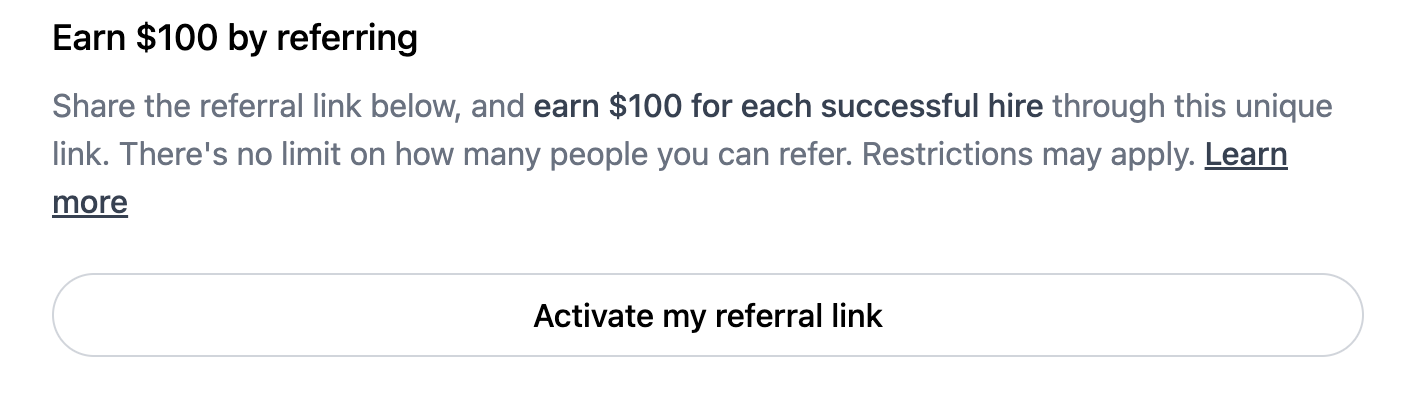
Navigate to the Job Listing page for the role to which you would like an individual to apply.
Click on Activate your Referral Link
1
Share your unique referral link
Do ensure that you utilise your unique link to guarantee that the referral is properly recorded in your account. You can locate this in your ‘Referral’ section on your Mercor platform. Click on the ‘Share’ icon
2
Candidate accepts an offer
A referral is established when the candidate signs up and creates a Mercor account. If they already possess an account without a referrer, a new referral will be recorded the moment they use your unique referral link.
3
Candidate starts working, you earn!
Mercor uses an earnings-sharing model. Once your referral begins billable work, you earn 20% of what they earn (hourly pay and bonuses), up to a cap known as ‘Earnings Cap’. Work on one-time-payment listings, where the pay is shown as a single one-time amount instead of an hourly or per-task rate, is not included.
4
Earnings are paid
Once eligibility is confirmed, referral earnings are released in the next referral payout cycle (Wednesdays and Fridays at 12:00 PM PST).
What increases the chances of my referral getting hired?
Top candidates typically have:
A complete Mercor profile and a strong resume
A professional, up-to-date LinkedIn with clear credentials
A profile photo (and GitHub link if relevant)
Camera enabled during the AI interview (required for verification)
No VPN usage during the application process
The more data points a candidate provides, the more confident Mercor is when extending an offer.
How should I message candidates?
Frame the opportunity as consulting or project-based work, not a full-time job. Many candidates — especially doctors, lawyers, and senior professionals — respond better to “consulting role” or “expert project” language.Here is a sample message you can adapt:
Hi [Name],I’m working on a short-term consulting project at Mercor and thought of you. I think you’d be a great fit.If you’re open, I’d love to refer you.Best, [Your Name]
Earning status (Hired)
This status indicates that your referral is working and you are actively earning.You will also see your progress toward the earnings cap for that referral.
Payout timing
Referral earnings are released twice per week on Wednesdays and Fridays at 12:00 PM PST. After release, bank transfers typically arrive in 2–3 business days (longer around holidays).
Your earnings cap is determined by the first offer your referral accepts that is not on a one-time-payment listing.
How does it work?
Hourly contracts: cap = 4× the hourly rate of the first accepted offer
Daily/task-based (DBC/task-based) contracts: cap is explicitly set per contract
If your referral later works on different projects (higher-paying or lower-paying), your cap does not change. You will continue earning 20% across all of their projects until you reach the earnings cap as determined by their first accepted offer. One-time-payment listings are the exception: they do not generate referral earnings and are not used to set the cap.
Case example (earning across projects):
If your Earnings cap is 4× the hourly rate of Project 1, you can still earn across Projects 1, 2, and 3—because you may not reach the cap from Project 1 alone (or even from Projects 1 + 2), and only reach it after your referral has worked across Projects 1 + 2 + 3.
Your Earnings cap is locked to Project 1 (the first offer your referral accepted), but your 20% earnings continue across Projects 1, 2, and 3 until you hit that Earnings cap.
Even if your referral moves from Project 1 to Projects 2 and 3, your earnings continue to accumulate towards the same cap—so you might only reach the cap after their work spans Projects 1, 2, and 3.
Maintaining UTM parameters (e.g., utm_source=referral…) assists us in channel analysis; however, it is optional. Your referral is still tracked even in their absence. We are currently developing shorter, customizable URLs.
If the link won't load
Refresh using Shift+Cmd+R (Mac) or Shift+Ctrl+R (Windows), or alternatively, access the role directly at work.mercor.com/explore.
My referral link doesn't load. What should I do?
Try refreshing using Shift + Cmd + R (Mac) or Shift + Ctrl + R (Windows). Or visit work.mercor.com/explore directly.
Do I need UTM parameters in the link?
No. They’re helpful for analytics but not required. Your referral will be tracked regardless.
How do I know if someone used my link?
Go to the Referrals tab in your dashboard. You’ll see their name, status, and hours. If they’re missing on your dashboard, please send an email to support@mercor.com.
How do I get my referral link for an application?
To get a specific listing/application referral link:
Click Copy Link to copy your unique referral link.
A valid referral link will include a “referralCode” parameter in the URL.This ensures that any applications submitted through your link are correctly attributed to you.
How do I manage my LinkedIn connections (upload, update, or delete them)?
You can easily manage your LinkedIn connections from the Referral Dashboard, Go to the My Connections tab:To upload or update your connections:
Click on Re-upload to upload a new or updated list of your LinkedIn connections
To delete your connections:
Click on the Delete button to remove your uploaded connections
To refresh matches:
Click on the Refresh button to revalidate and update your connection matches
Important notes:
Mercor does not contact your LinkedIn connections automatically
Your connections are only contacted if you explicitly choose to initiate an introduction by clicking the Intro button. This ensures you remain fully in control of outreach to your network.
Fast-Paced Referrals are available only for selected roles and selected experts. If you are eligible, you may see the option on the Offer/Contract page, Explore page, or My Referrals page. The Offer/Contract page banner is typically the most prominent entry point.
Fast-Paced Referrals let eligible experts recommend someone they personally know before the candidate applies. If the recommendation is approved, the candidate receives a faster path for that role after signing up through the approved referral link.Fast-Paced Referral eligibility is checked live each time the option appears and each time you submit a recommendation. Access can change if the role is no longer fast-paced, your contract on the role ends, you are no longer in the eligible expert set, or your weekly quota has been exhausted.
1
Submit a recommendation
If you are eligible, you may see a Fast-Paced Referral banner or option on Mercor. You can submit the candidate’s email, weekly availability, earliest start date, and supporting information such as a resume, LinkedIn profile, or manual profile details.The candidate must be new to Mercor. Submissions for an email address that already belongs to an existing Mercor account will be rejected.
2
Wait for review
The recommendation is reviewed by the project team. Reviews are typically completed within 4 days.You can track the request status from the Approval Requests tab inside the Fast-Paced Referral modal. Statuses may include Pending Review, Approved, Rejected, or Expired.
3
Share the approved link
If approved, you will receive a guaranteed referral link. You must share this link directly with the candidate.Rejected or expired requests do not trigger outreach to the candidate.
4
Candidate signs up
The candidate must sign up using the exact same email address you submitted. The approved link expires after 7 days.You can view the live countdown for the guaranteed-link expiry from the Approval Requests tab inside the Fast-Paced Referral modal.
Approved link validity
The approved Fast-Paced Referral link is valid for 7 days. The candidate must use the exact email address submitted in the recommendation.
Weekly quota
Eligible experts can submit up to 3 Fast-Paced Referral recommendations per week. This quota resets every Monday UTC.
Referral earnings
If the candidate is hired through your approved link, referral earnings follow the standard referral payout process.
30-day placement compensation
If Mercor is unable to place the approved candidate within 30 days, Mercor will provide a $100 compensation.
Who can use Fast-Paced Referrals?
Fast-Paced Referrals are available only to selected experts on selected roles. If you are eligible, you may see the Fast-Paced Referral option on the Offer/Contract page, Explore page, or My Referrals page.
Can every project member use Fast-Paced Referrals?
No. This option is not available to every project member. Eligibility depends on the project and your access to Fast-Paced Referrals for that role.
Where will I see the Fast-Paced Referral option?
If eligible, you may see the option on the Offer/Contract page, Explore page, or My Referrals page. The Offer/Contract page banner is typically the most prominent call to action.
What information do I need to submit?
You will need to provide the candidate’s email, weekly availability, and earliest start date. You may also add a resume, LinkedIn profile, or manual profile details.
Does the candidate need to be new to Mercor?
Yes. Fast-Paced Referrals are intended for candidates who are new to Mercor. If the submitted email address already belongs to an existing Mercor account, the submission will be rejected.
Does the candidate get contacted right away?
No. The candidate is not contacted by Mercor when you submit the recommendation. If the recommendation is approved, you will receive the referral link and should share it with the candidate yourself.If the request is rejected or expires, the candidate is not contacted.
How can I track my Fast-Paced Referral request?
You can track request status from the Approval Requests tab inside the Fast-Paced Referral modal.Request statuses may include:
Pending Review
Approved
Rejected
Expired
For approved requests, the tab also shows a live countdown for the guaranteed referral link’s expiry.
Is the Fast-Paced Referral application different from a normal referral application?
No. The candidate goes through the standard application flow. The difference is that the referral has been reviewed before the candidate signs up, and the approved link is tied to the candidate’s email.
Does the candidate need to use the same email I submitted?
Yes. The candidate must sign up using the exact email address you submitted. If they use a different email, the Fast-Paced Referral may not be tracked correctly.
What if the candidate changes their existing Mercor account email to the submitted email?
The Fast-Paced Referral association will not be created.The match happens only when the candidate clicks the approved referral link and signs up with the submitted email address. If the candidate already has a Mercor account and later changes their account email to the submitted email, the Fast-Paced Referral will not be matched retroactively.In this case, the recommendation remains pending until it expires.
Can I submit a Fast-Paced Referral for someone who was already referred?
No. Fast-Paced Referrals cannot be submitted for an email address that already belongs to an existing Mercor user.Since standard referrals are recorded when the referred person signs up, a candidate who has already been referred through the standard flow will already have a Mercor account. In practice, this means the Fast-Paced Referral submission will be blocked for that email.
If I receive a Fast-Paced Referral invite, will I always have access?
No. Fast-Paced Referral eligibility is checked each time the option appears and each time you submit a recommendation.Access depends on whether:
The role is still Fast-Paced Referral eligible
You still have an active contract on that role
You are still included in the eligible expert set
You have not exhausted your weekly quota of 3 Fast-Paced Referral submissions
The invite email is only a notification. It does not permanently enable Fast-Paced Referrals on your account.
When does my weekly Fast-Paced Referral quota reset?
Eligible experts can submit up to 3 Fast-Paced Referral recommendations per week. The quota resets every Monday UTC.
How long is the approved referral link valid?
The approved Fast-Paced Referral link is valid for 7 days. You can view the live expiry countdown from the Approval Requests tab inside the Fast-Paced Referral modal.
What happens if my recommendation is rejected or expires?
If the recommendation is rejected or expires, the candidate is not contacted by Mercor.
How do earnings work for Fast-Paced Referrals?
If the candidate is hired through your approved link, referral earnings follow the standard referral payout process.If Mercor is unable to place the approved candidate within 30 days, Mercor will provide a $100 compensation.
ID Verification is required before referral payouts can be issued.
If you become eligible to earn a referral bonus, you must complete ID Verification in order to receive payouts.If ID Verification is not completed, referral earnings will not progress toward payout until verification requirements are satisfied.
When you become eligible for referral earnings, ID Verification becomes required.
A “Complete ID Verification” notifier will appear on your Home page & Referral dashboard.
Click the tile to complete verification through our secure provider.
Once verification is successfully completed, referral earnings and payouts resume automatically.
Mercor uses Persona to securely verify your identity. This process is a mandatory requirement. You’ll upload a government-issued ID and take a selfie video for facial recognition. Persona Privacy Policy.
1
Begin Verifying
You’ll be redirected to Persona’s secure interface.
2
Upload Your Government ID
Please capture a clear photograph of the front, and the back if necessary. Ensure that the image is well-lit and free from glare. A valid government-issued identification must be presented to proceed.
3
Take a Selfie
Record a short video, turning your face left and right.
4
Continue on Another Device (Optional)
You can switch to your phone using a QR code or secure email link.
5
Submit and Finish
Persona will process the submission. Once verified, a green checkmark will appear and the step will be marked as complete.
6
Review
ID Verification is an instant process but may occasionaly take more time & the same will be indicated on your referral dashboard.
Photo Tips
• Place ID on a dark flat surface
• Avoid glare or backlight
• Make sure all corners are visible
• Slowly move ID to focus if blurry
Selfie Tips
• Use a well-lit space
• Center your face
• Follow instructions to turn head left/right
Is ID Verification mandatory for all referrers?
ID Verification becomes mandatory once you are eligible to receive referral earnings. Without completing IDV, referral payouts cannot be issued.
What happens if I do not complete IDV?
If ID Verification is not completed, referral earnings payout will not be processed. Once verification requirements are satisfied, eligible earnings will resume payout processing.
Note: Any amounts accrued will continue to be tracked and will be paid out once verification is completed.
Is ID Verification a one-time process?
Yes. ID Verification is a one-time requirement for referrers. Although, if required new ID verification requests maybe issued in future.
How long does verification take?
Most verifications are completed quickly. In some cases, additional review may be required, which can take up to 1 business day.
What if my verification requires review or fails?
If your verification requires additional review, our team will process it. If you believe there is an issue, you may contact support@mercor.com for assistance.
Vouching allows you to add a short professional endorsement (1–2 sentences) to a referred candidate’s application.To use it, go to work.mercor.com, open the Referrals tab, and find the referred person in your referrals list. If they are eligible, you will see a Vouch button next to their name. When you click it, you will be asked to share more details about how you know the referred person and why you are vouching for them. Once submitted, the vouch is recorded and reflected on your dashboard.
Vouched candidates are 3× more likely to be hired. Use vouching only for people you have personally worked or studied with. Keep your endorsement concise — short and specific is more effective than lengthy.
Your reputation is tied to your vouch. If a vouched candidate commits fraud or submits low-quality work, it reflects on your account as well.
Can I edit, remove, or undo a vouch after submitting it?
No. Once a vouch is submitted for a referred candidate, it cannot be edited, removed, or taken back. After submission, the Vouch button becomes non-clickable for that referral. Because this action is permanent, you should only vouch for candidates you genuinely know and are comfortable endorsing.
How does a vouch appear to the project team?
When the projects team reviews candidates, they can see whether a candidate was vouched for by their referrer. The vouch appears as a tag beside the candidate’s name on the candidates dashboard/listing page, and vouched candidates may also be filterable from the filter dropdown. The additional written context submitted by the referrer is not shown as a separate note, but is available through a tooltip.
What is the Warm Intro feature?
Warm Intro allows Mercor to reach out to a potential candidate on your behalf. It is only available for candidates the system has identified as high-potential matches.If the Warm Intro option appears next to a connection on your dashboard, it signals a higher probability of that person being selected. Use it when you respect the candidate professionally but prefer not to reach out directly yourself.
Why do I see earnings as “pending” (e.g., “$209.95 + $110.05”)?
For hired referrals, the dashboard can show earned + pending. Pending amounts reflect earnings that have been accrued but not yet processed in the next referral payout cycle.
My referral worked across multiple projects — how does that affect my earnings?
You earn 20% across all of your referral’s projects until you reach the Earnings cap, except on one-time-payment listings, which do not generate referral earnings. The Earnings cap is locked to the first offer your referral accepts that is not a one-time-payment listing, even if they later move to higher-paying or lower-paying projects.
My referral cap indicator mentions “TBD” instead of the amount, what does that mean ?
It means your referral’s earnings cap is still to be decided (TBD) and hasn’t been finalized or locked yet for this referred person. Once the cap is determined and locked, the indicator will update to show the exact amount.The cap also stays TBD when every offer your referral has accepted so far is on a one-time-payment listing, because those listings are not used to set the cap.
Why are my earnings stuck at 0 or not increasing?
Eligible earnings are not updated in real time. Your referral bonus (20% of your referred person’s earnings) becomes eligible only after your referred person has been paid for their completed work. (Paid every Wednesday)Eligible and paid referral earnings are typically updated on Wednesdays and Fridays, not daily.If your referred person has recently started working, please allow time for their first payment cycle to complete before expecting updates in your referral dashboard.Earnings also stay at 0 when the work your referral is paid for is on a one-time-payment listing, where the pay is shown as a single one-time amount instead of an hourly or per-task rate. Those listings do not generate referral earnings and are not included in your referral earnings summary.
No. Work trials (deliverable-based trial engagements) do not count for referral earnings-sharing.
How long until my referral is hired?
Timing varies depending on the listing, application quality, and demand. Certain roles are filled rapidly.
Why was my referral's contract ended or offer cancelled?
This occurrence may result from performance issues, timing adjustments, or project modifications. If your referral has already begun billable work, your earnings will reflect eligible work completed (subject to the earnings cap and program rules).
How do I know if my referred person has started working / is working or not?
Due to privacy reasons, Specific details about referred individual’s work status, including whether they have started working are not shared. We recommend directly connecting with the person you referred if you would like confirmation about their work activity.
Do I get notified when my referral makes progress?
Yes. We provide you with dashboard updates, as well as weekly and daily email summaries.
How do I receive Top Referrer emails?
Contact any member of the Mercor team, and we will ensure you are included.
Someone said I referred them but I did not — what now?
Do contact support (support@mercor.com). We will investigate the matter and resolve it accordingly.
I want help with a specific referral issue. What should I include?
Do contact support (support@mercor.com) and include the following information:
• The name of your referral
• Their email address
• Your referral link
• A brief description of the issue
I got an email stating someone earned by referring me. Can you remove them from my profile?
Mercor’s referral program is structured so that a user is only associated with a referral when they click on a referral link and explicitly opt in through a confirmation step. This arrangement guarantees transparency and obtains user consent. If you believe you were incorrectly linked, you may dispute the assignment via “Not my Referrer,” and our team will review the dispute.
How many times will my referrer earn for referring me?
Referral earnings accrue until the referrer reaches the earnings cap for that referral. The cap is determined by the first offer the referred user accepts that is not on a one-time-payment listing. This is a one time event.