
This guide helps you prepare for Day 1 of your Mercor project, covering onboarding documentation, time tracking, and access to necessary tools.
1. Onboarding Document
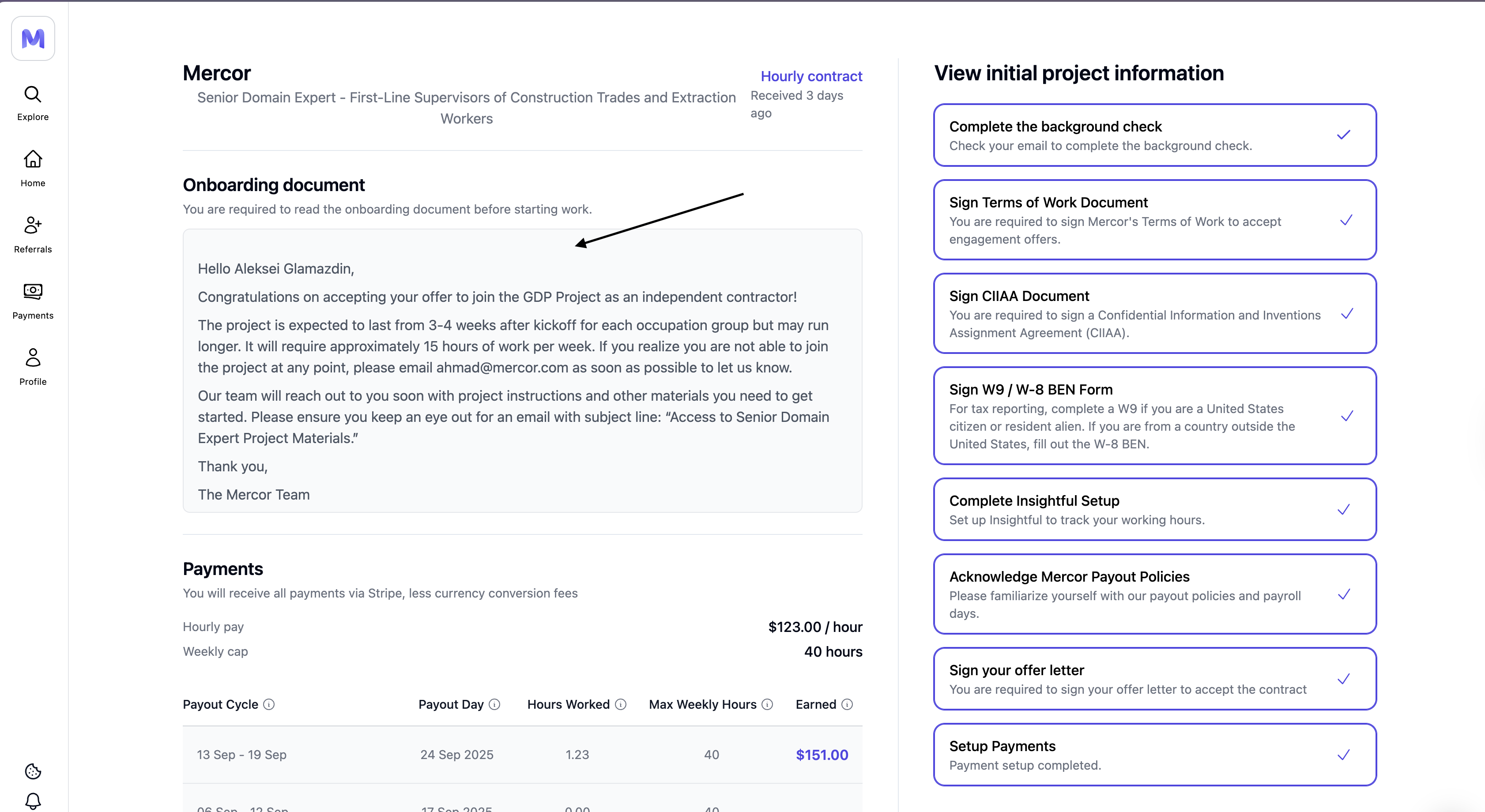
This document serves as your primary source of information at the commencement of the project. It includes Slack links, team contacts, and setup instructions.
- Go to the Contracts tab.
- Click on your active contract.
- The onboarding document will appear below your contract details once it’s ready.
If your onboarding document isn’t visible yet, it’s still being prepared by your project team.
In the meantime, please finish your Insightful setup, Stripe verification, and background check if pending.
You’ll receive the onboarding instructions within 7 days, and they’ll appear in your Contracts tab once ready.
- Project Instructions (Order of Operations)
- Details and Background
- Project Primary
- Point of Contact (POC) and Escalation Contacts
- Slack, Airtable, and Notion, along with Naming Conventions
- Guidance on the Use of Contractor Email Versus Personal Email
2. Setting Up Insightful (Time Tracking)
1
Accept your Insightful invite
Sent to your personal Mercor email inbox. Please check your spam folder if it is missing.
2
Download the desktop app
Compatible with Windows 10 or later versions, or macOS 10.11 or higher.
3
Log time with Play / Stop
Please select your project within the application, then press ‘Play’ to commence work and ‘Stop’ to pause.
4
Review daily logs
Please access your Dashboard to review time blocks and rectify errors promptly.
3. Accessing Project Tooling
Ensure the integration of all tools (such as Slack, Airtable, Notion, etc.) to prevent any potential project delays.
Checklist
- The contractor’s email (
@mercor.expert) has been activated - Slack workspace or channel has been accepted
- Airtable, Notion, or GDrive has been confirmed
- Any platform, API key, or product login details have been received.
How to Access Your Mercor Expert Email
1
Go to c-mercor.okta.com
Log in using your personal email address (the same used on work.mercor.com).
2
Open Google Workspace
Select the Google Workspace icon to access Gmail, Drive, Docs, and Calendar.
3
Verify if prompted
If asked to verify an unfamiliar email address, accept it — this is your @mercor.expert account.
4. Project Paused
What this means:- You remain a member of the project pool.
- The weekly cap is established at 0 hours.
- No new work is assigned during the pause.
- Ensure that all hours are submitted prior to the commencement of the pause.
- Maintain up-to-date payment information for Stripe/Wise to ensure pending payouts are processed without delay.
- Please monitor your email and Slack channels for updates.