
Assessment-first experience
Reusable skill signals
Centralized hub
Your data is not for sale
1. What are assessments?
Assessments are systematic evaluations used to assess your skills, judgment, and ability to execute tasks that mirror real-world projects. They assist project teams in understanding:- Your domain expertise and experience
- Your approach to solving real-world problems
- Your ability to follow instructions and manage ambiguity
- The quality and clarity of your written or verbal responses
2. The new assessments
If you follow an assessment link you were sent, you return to the Assessments tab after you log in. This page is designed to:- Show all assessments available to you
- Highlight the most impactful ones first
- Help you qualify for work faster
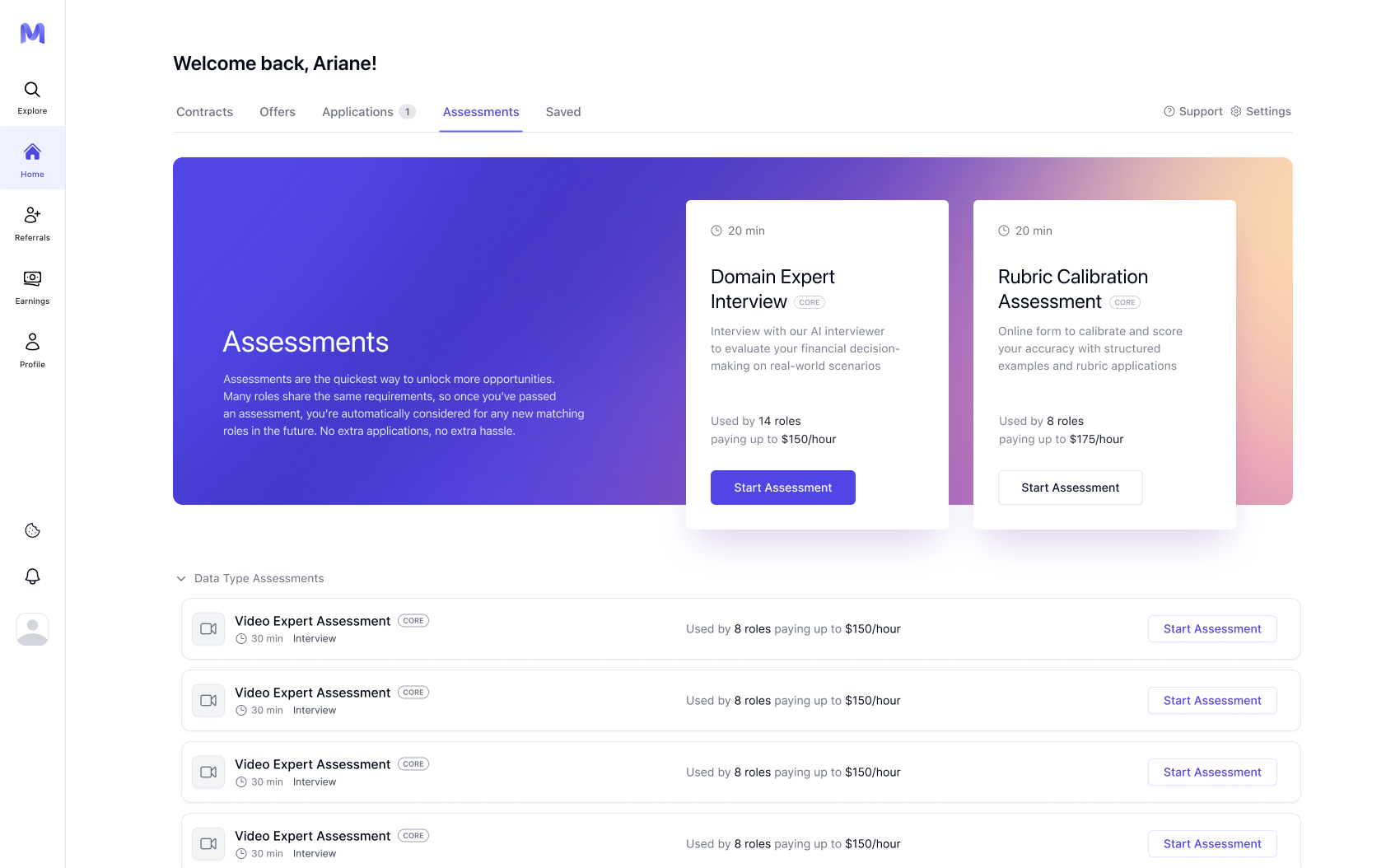
3. Recommended Assessments
At the top of the page, you’ll see Recommended Assessments. These are selected based on:- Your profile and resume
- Your domain or data-type expertise
- Active opportunities that require those assessments
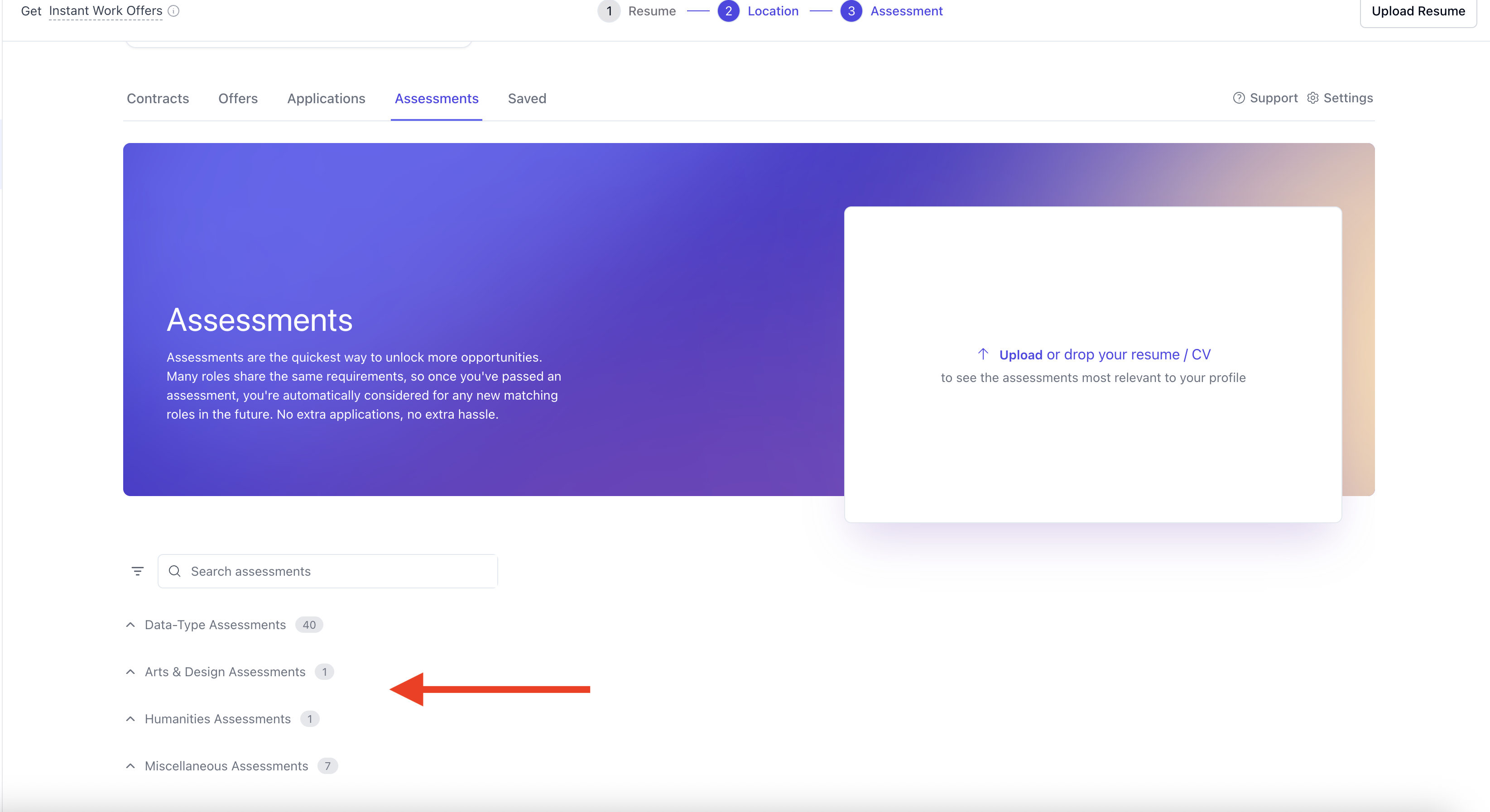
- Recommendations appear only after you upload your resume. Until then, this area shows a prompt to upload it.
- Up to two recommended assessments are shown at a time, the most relevant first.
- When there are no recommended assessments left for you, this area shows a completion message. You can still take any other assessment from the categories below.
- Once completed, they disappear from the Recommended section
- If a new relevant assessment becomes available, it may appear automatically
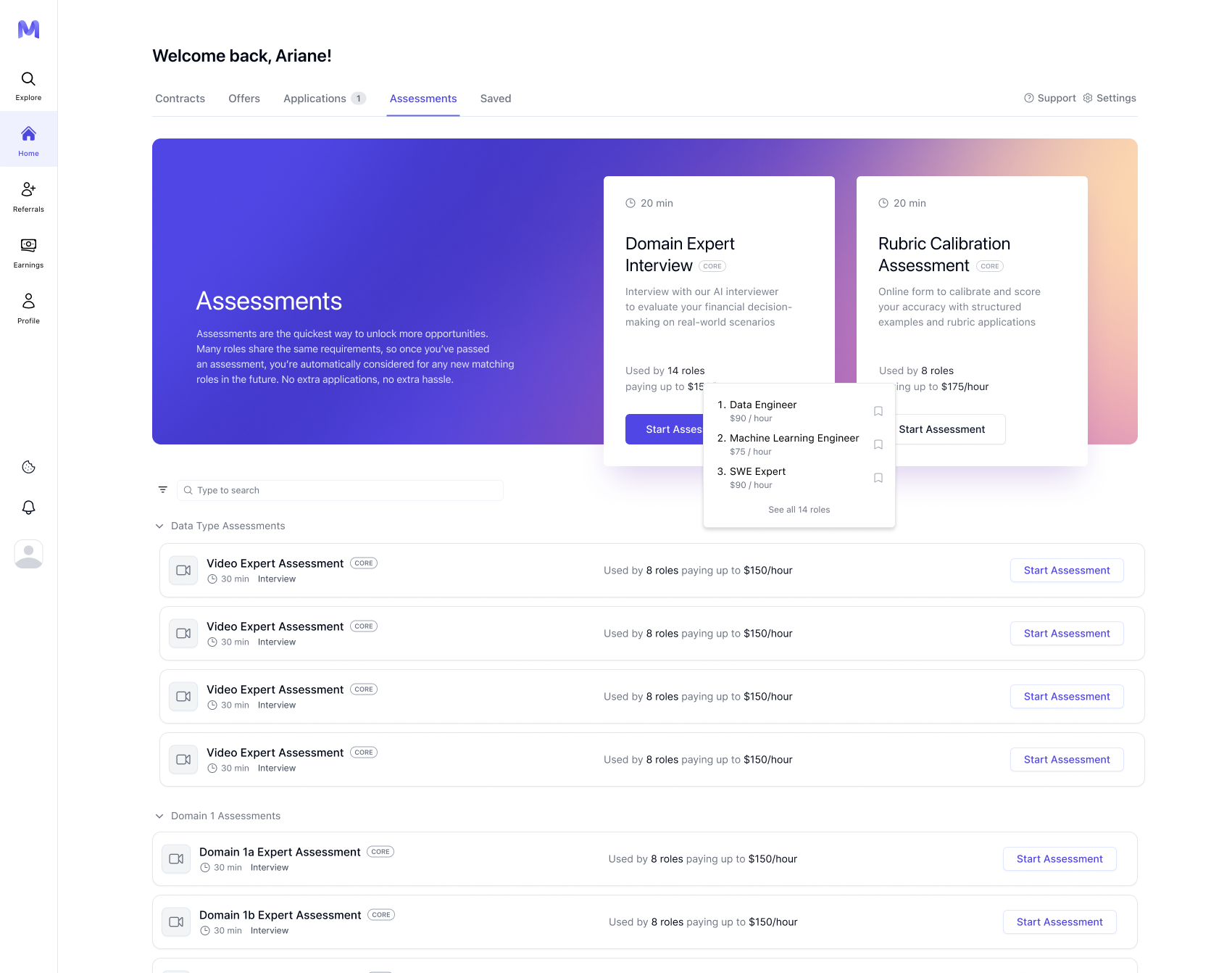
4. Assessment categories
Below Recommended Assessments, all other available assessments are grouped into categories, such as:- Data Type Assessments
- Domain-Specific Assessments
5. Assessment States and Actions
The status filter uses the same three statuses for every assessment type:- Not taken
- In progress
- Completed
6. Where to find your assessments
All assessments associated with your account are on the Assessments tab of Home: https://work.mercor.com/home?tab=assessments From this page, you may:- Initiate new assessments
- Continue assessments in progress
- Review completed evaluations
- View the roles that an assessment facilitates unlocking (when available)
7. Retakes, edits, and limits
Most assessments permit only a single submission. Whether you can retake one depends on its type:- AI interviews: a completed interview card shows Retake assessment. See AI Interview for the steps.
- Forms: a form can be retaken only when that form allows it.
- Assessments that cannot be retaken open in read-only mode after submission.
8. Time limits, autosave, and best practices
- Most assessments do not have a strict time limit
- Some assessments open with setup checks for your camera, microphone, or screen before they start. Complete the checks, then click Continue. On a task assessment, click Start assessment. For the AI interview’s own checks, see AI Interview.
- A timed assessment shows a start screen with the time you have. Once you start, the timer runs continuously and cannot be paused.
- During a timed assessment, stay on the tab with a stable connection and do not reload the page. Reloading or losing connection can cause an answer to be missed.
- Autosave functionality is supported; however, it is not guaranteed in all instances.
- Completing assessments in a single session whenever feasible.
- Avoiding extended periods of inactivity.
- Maintaining backups of extensive written responses.
- Submitting promptly once you are ready, as opportunities may close unexpectedly.
9. Restrictions and integrity rules
Some assessments intentionally disable copy-and-paste. Unless explicitly stated otherwise, you may not:- Use AI or LLM tools to generate responses
- Copy content from external sources
- Share answers or collaborate with other professionals
- Repost assessment content publicly.
10. Confidentiality and evaluation standards
During assessments:- Mercor staff are not permitted to review drafts or provide coaching on answers.
- Other talents are unable to assist you.
- Sharing screenshots or templates is strictly prohibited.
- Are stored securely.
- Are used solely for evaluation and matching purposes.
- Are never sold or shared commercially.
FAQ
Why should I take assessments instead of applying to opportunities?
Why should I take assessments instead of applying to opportunities?
Do completed assessments apply to multiple opportunities?
Do completed assessments apply to multiple opportunities?
Why did an assessment disappear after I completed it?
Why did an assessment disappear after I completed it?
Can I retake an assessment to improve my score?
Can I retake an assessment to improve my score?
Why is copy/paste disabled?
Why is copy/paste disabled?
Can I use AI to help write my answers?
Can I use AI to help write my answers?
Does my assessment performance affect future opportunities?
Does my assessment performance affect future opportunities?
How can I perform well on Mercor’s assessments?
How can I perform well on Mercor’s assessments?
- Ensure the assessment is a good fit for your background, expertise, and skill set.
- Always aim to do your best on the first attempt, even if retakes are allowed.
- Take your time and read all instructions carefully before answering.
Is there anything I should know about completing assessment forms?
Is there anything I should know about completing assessment forms?
- Forms can be revisited from the Assessments tab.
- Certain forms contain instructional material. Review it carefully before you respond.
- Many forms support split-screen viewing, so you can read the instructions while you respond.
Will a human watch or review my assessment?
Will a human watch or review my assessment?
Do humans read my feedback and suggestions?
Do humans read my feedback and suggestions?
Why am I asked to complete multiple assessments?
Why am I asked to complete multiple assessments?
What happens after I complete an assessment?
What happens after I complete an assessment?
- You may see a Retake assessment option, depending on the assessment.
- In certain instances, you may receive feedback regarding performance improvement.
Can I get assessment feedback through Mercor Support?
Can I get assessment feedback through Mercor Support?
Is feedback available for every assessment?
Is feedback available for every assessment?
Where can I find assessment feedback if it is available?
Where can I find assessment feedback if it is available?