> ## Documentation Index
> Fetch the complete documentation index at: https://talent.docs.mercor.com/llms.txt
> Use this file to discover all available pages before exploring further.
# Mercor Expert Email
> Learn how Mercor Expert emails operate, when their use is appropriate, and the procedures for transitioning from legacy emails.
## Overview
Mercor provides expert email addresses to facilitate secure access to project resources. These email addresses are designated for accessing project-mandated tools, documents, and communications.
Effective from February 12, 2026, Pacific Time, all experts engaged in active projects will be granted access to the @mercor.expert email via their Okta accounts. \
\
Experts who previously had access to the @c-mercor.com email will retain access to both email addresses for a transitional period to facilitate content migration.
Mercor is introducing a new Okta-managed email system for experts: **@mercor.expert**.\
This page explains what it is and how it works.
***
## What Is the Mercor Expert Email?
The **Mercor Expert Email** (`@mercor.expert`) represents a newly established Google Workspace account designated for experts working Mercor projects.
It is utilized to securely access:
* Google Docs, Sheets, and Drive;
* Facilitate project-related internal communications;
* Access tools that necessitate identity verification.
This system is intended to gradually supersede the legacy **@c-mercor.com** email address.
### Important: Contractor Email and Okta Are Different
Your @mercor.expert email is **not authorized for Otka login. Access to Okta** is limited to your personal email address associated with your work.mercor.com account.
### Key Distinction
| Purpose | Email Used |
| ------------------------- | ---------------- |
| Log in to work.mercor.com | Personal email |
| Log in to Okta | Personal email |
| Access Google Workspace | Managed via Okta |
Your expert email is a project resource account and does not function as an Okta login credential.
***
## What Is Changing and What Is Remaining Unchanged
• New anonymized @mercor.expert email\
• Access managed through Okta\
• Secure Google Workspace access
• You still log into Okta with your personal email\
\
• Slack, Insightful, Stripe, Feather, and other tools are unaffected
***
## Your New Email Address
Your new email **will not include your actual name**.
Instead, it is an **anonymized, randomly generated address** composed of scientific or nature-related terminology, for instance:
`ruther.tianguan@mercor.expert`
This is anticipated and deliberate. \
The anonymized format safeguards your identity while maintaining consistent access across various tools.
You may verify that this email address is yours by:
* Reviewing your **Slack profile**
* Accessing the **Google Workspace application in Okta**
***
## How to Access Your Mercor Expert Email
Please visit [https://c-mercor.okta.com](https://c-mercor.okta.com) and log in using your **personal email** address, which should be the same as the one utilized on work.mercor.com.
Upon logging in, select the **Google Workspace** icon to access Gmail, Drive, Docs, and Calendar.
If requested to verify an unfamiliar email address, please accept it — this pertains to your new @mercor.expert account.
***
## What You Should Do
Confirm you can open Google Workspace through Okta.
Transfer drafts, notes, or personal files you created — **not project-provided materials**.
Create new Mercor-related documents directly in your @mercor.expert Google Drive.
Legacy access persists throughout the transition period.
Please refrain from downloading or copying project materials provided by Mercor.\
These will be redistributed to your new account automatically if necessary.
***
## Transition & Deprecation
* Access via **@c-mercor.com** will be deprecated after a transition period.
* A **clear sunset date** will be announced at least **one week in advance**.
* Once deprecated, old access methods will be disabled.
***
## Troubleshooting: Google "400. That's an error."
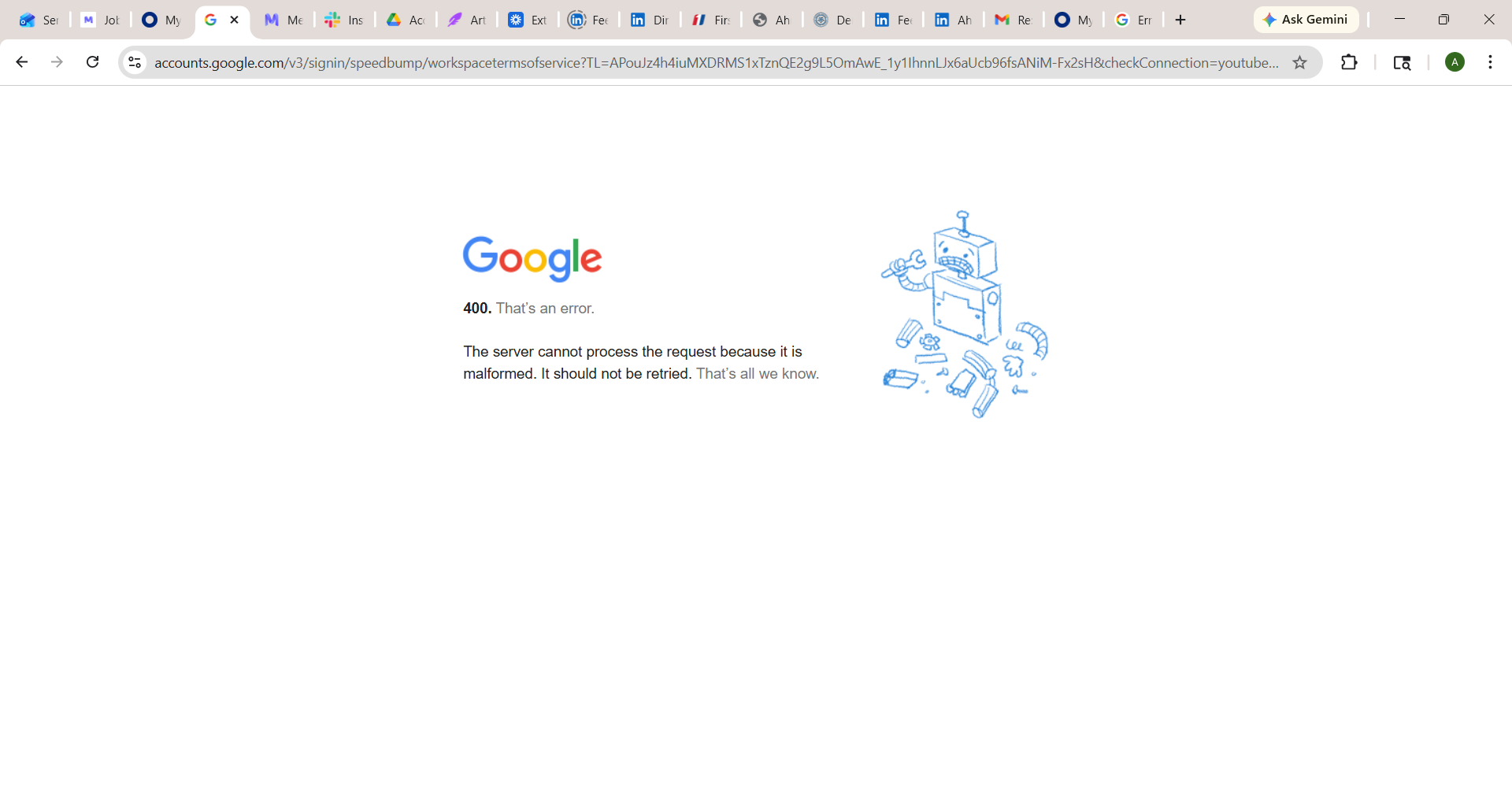 When opening Google Workspace from Okta to access your **@mercor.expert** email, Google may show a **400 error** ("That's an error"). This is a **known Google Workspace issue** caused by corrupted session or cookie data — your Okta and @mercor.expert accounts are **not** broken.
### How to fix it
Remove stored cookies and cached data for `accounts.google.com`, `google.com`, and `okta.com`.
* **Chrome:** `Settings → Privacy and security → Cookies and other site data → See all site data and permissions` → search each domain → **Remove**.
* **Safari:** `Settings → Privacy → Manage Website Data` → search each domain → **Remove**.
Quit the browser completely (don't just close the tab). This releases the broken session held in memory.
Open `accounts.google.com` and sign out of every Google account in that browser. Having a personal Gmail signed in alongside @mercor.expert is the **#1 trigger** for this error.
Go to `https://c-mercor.okta.com`, sign in with your personal email, then click the **Google Workspace** tile again.
Still seeing the error? Try the other browser (Chrome ↔ Safari) or a **fresh Chrome profile**. The 400 error is browser-and-profile specific and rarely persists across both.
Do **not** try to bypass this with incognito or private windows — the Okta + Google Workspace flow requires saved cookies and (in Chrome) sync, both disabled in private mode.
### Quick checklist
Stale session data is the #1 cause. Clear it first, every time.
Close every window, then reopen. A refresh isn't enough.
Only the account you are authenticating into Workspace should be active.
If Chrome fails, try Safari — or create a fresh Chrome profile.
***
## Frequently Asked Questions
Yes, commencing on February 12, 2026, all experts will be granted access to their new mercor.expert email addresses.
All @mercor.expert email addresses are anonymized to ensure privacy and security. The displayed name does not correspond to your actual identity.
Email addresses are generated by the system and cannot be customized.
Not at this time. Mercor Expert emails are currently restricted to send to and from @mercor.com addresses.
Slack, Insightful, Feather, or any other tool is unaffected and will continue to use existing identifiers. \
\
Even if you can see the expert email on your Slack profile, you will use your personal email to sign in to Okta, then access Slack through Okta.
Yes. Kindly proceed to generate new Mercor-related materials within this workspace henceforth.
No, please start using your expert email and transfer all your important content from your previous c-mercor email.
It is necessary to transfer any personal drafts, notes, or self-created materials to your @mercor.expert account. **Please refrain from** transferring client-provided materials, as these will be redistributed by Mercor if deemed necessary.
Yes. If you have utilized Chrome with your previous @c-mercor.com account, it is advisable to consider exporting and importing bookmarks or establishing a new profile under your @mercor.expert email for the purpose of maintaining organized work.
Once the sunset date is announced, access to previous emails, including those associated with @c-mercor.com, will be revoked. Kindly ensure that you complete your transition prior to this date to prevent loss of important files or access.
As long as you maintain at least one active contract with Mercor, your expert email account will continue to be operational.
***
## Related Pages
Learn how Okta manages your access to Mercor tools.
Learn how your @mercor.expert email works and how to access it.
Understand which tools your project requires.
When opening Google Workspace from Okta to access your **@mercor.expert** email, Google may show a **400 error** ("That's an error"). This is a **known Google Workspace issue** caused by corrupted session or cookie data — your Okta and @mercor.expert accounts are **not** broken.
### How to fix it
Remove stored cookies and cached data for `accounts.google.com`, `google.com`, and `okta.com`.
* **Chrome:** `Settings → Privacy and security → Cookies and other site data → See all site data and permissions` → search each domain → **Remove**.
* **Safari:** `Settings → Privacy → Manage Website Data` → search each domain → **Remove**.
Quit the browser completely (don't just close the tab). This releases the broken session held in memory.
Open `accounts.google.com` and sign out of every Google account in that browser. Having a personal Gmail signed in alongside @mercor.expert is the **#1 trigger** for this error.
Go to `https://c-mercor.okta.com`, sign in with your personal email, then click the **Google Workspace** tile again.
Still seeing the error? Try the other browser (Chrome ↔ Safari) or a **fresh Chrome profile**. The 400 error is browser-and-profile specific and rarely persists across both.
Do **not** try to bypass this with incognito or private windows — the Okta + Google Workspace flow requires saved cookies and (in Chrome) sync, both disabled in private mode.
### Quick checklist
Stale session data is the #1 cause. Clear it first, every time.
Close every window, then reopen. A refresh isn't enough.
Only the account you are authenticating into Workspace should be active.
If Chrome fails, try Safari — or create a fresh Chrome profile.
***
## Frequently Asked Questions
Yes, commencing on February 12, 2026, all experts will be granted access to their new mercor.expert email addresses.
All @mercor.expert email addresses are anonymized to ensure privacy and security. The displayed name does not correspond to your actual identity.
Email addresses are generated by the system and cannot be customized.
Not at this time. Mercor Expert emails are currently restricted to send to and from @mercor.com addresses.
Slack, Insightful, Feather, or any other tool is unaffected and will continue to use existing identifiers. \
\
Even if you can see the expert email on your Slack profile, you will use your personal email to sign in to Okta, then access Slack through Okta.
Yes. Kindly proceed to generate new Mercor-related materials within this workspace henceforth.
No, please start using your expert email and transfer all your important content from your previous c-mercor email.
It is necessary to transfer any personal drafts, notes, or self-created materials to your @mercor.expert account. **Please refrain from** transferring client-provided materials, as these will be redistributed by Mercor if deemed necessary.
Yes. If you have utilized Chrome with your previous @c-mercor.com account, it is advisable to consider exporting and importing bookmarks or establishing a new profile under your @mercor.expert email for the purpose of maintaining organized work.
Once the sunset date is announced, access to previous emails, including those associated with @c-mercor.com, will be revoked. Kindly ensure that you complete your transition prior to this date to prevent loss of important files or access.
As long as you maintain at least one active contract with Mercor, your expert email account will continue to be operational.
***
## Related Pages
Learn how Okta manages your access to Mercor tools.
Learn how your @mercor.expert email works and how to access it.
Understand which tools your project requires.